Source
Open source
Review the native macOS source, build steps, license, and issue history before you run the app.
Inspect source →Native for macOS 15.2+
Clipwell records your screen, system audio, microphone, and on-screen explanation without routing the take through a cloud account.
brew install --cask clipwell Current public release · local files · MIT license
Interactive tour
Each state is pulled from the native app. Choose a task to inspect the controls that make that workflow possible.
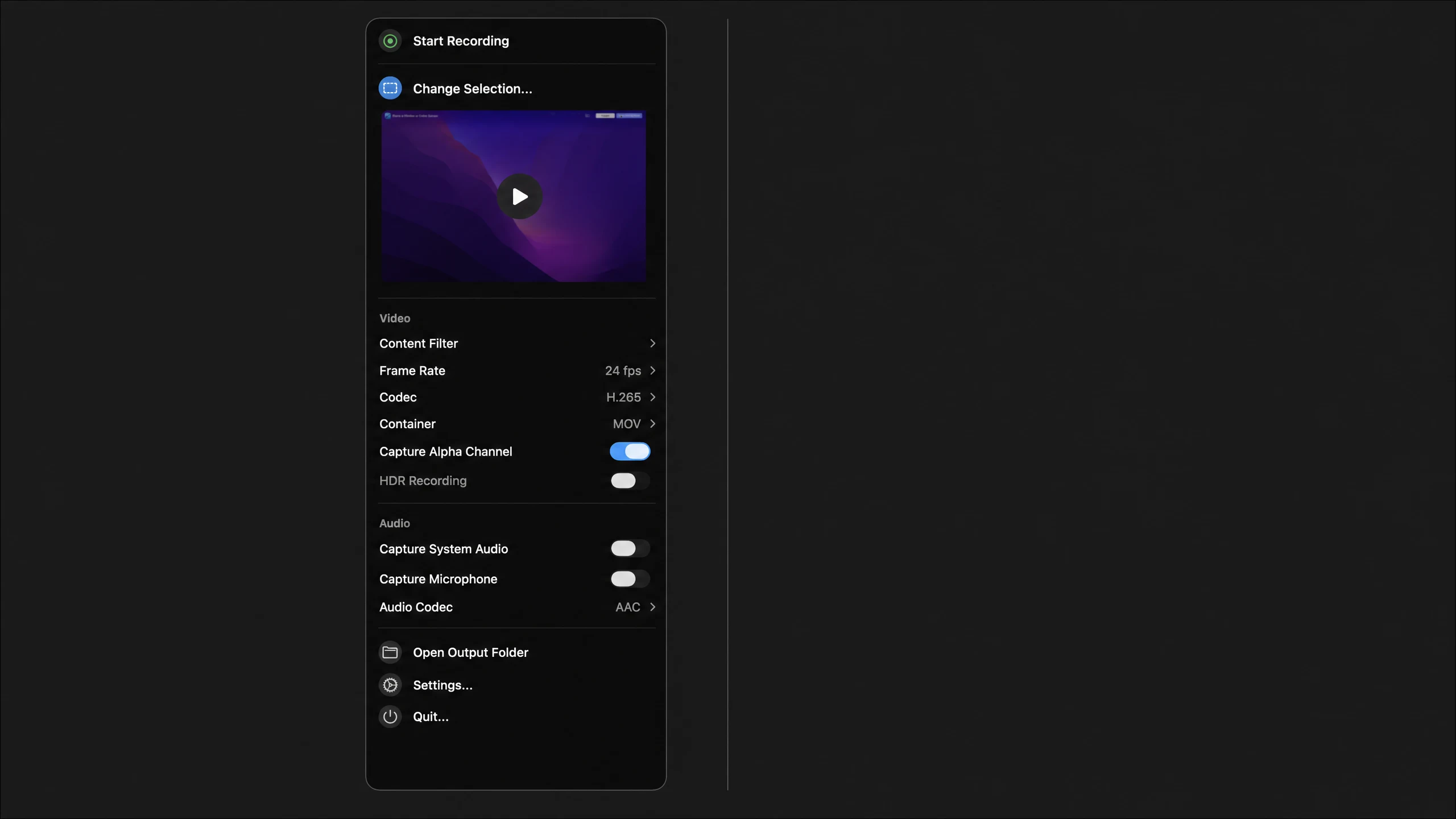
Record a walkthrough
Use the recorder controls to choose your display and capture system audio or your microphone before you press record.
Capture sequence
Clipwell is designed around the path from a reproducible moment to a file you can send without changing where it lives.
Scope
Choose one display, one window, or one area. Keep only the desktop context that helps someone understand the issue or walkthrough.
Capture
Bring in system sound, microphone, clicks, keystrokes, drawing, or camera only when they help explain the take.
Finish
Save the recording locally, trim the moment that matters, or export a GIF when the handoff should stay small.
Spec
Release channel
Clipwell’s future signed and notarized releases will use a verified buyer portal rather than a public release page. Checkout remains unavailable until delivery, terms, and customer support are ready.
Current status
Historic MIT-covered releases retain their original rights. A future paid offer will describe its actual original value and preserve applicable MIT notices.
Built in public
Clipwell does not publish invented testimonials. Instead, the current release, source, update feed, and privacy model are available for you to verify directly.
Source
Review the native macOS source, build steps, license, and issue history before you run the app.
Inspect source →Release
The public DMG is packaged from the release workflow, signed with a Developer ID, notarized by Apple, and published with release notes.
Inspect release →Privacy
Choose what to capture, save output to your own folder, and keep recordings off a cloud account or analytics service.
Read privacy policy →Have used Clipwell? Public feedback with your permission can be added here once it is attributable and reviewable.
Commercial readiness
Clipwell’s MIT-covered history remains respected. A future commercial offer will describe its original value, managed delivery, and support terms plainly rather than attempting to relabel historic rights.
Historic baseline
MIT
Earlier Clipwell releases included MIT-covered material. Those existing rights and required attribution notices remain intact even as future development and release handling move to a private channel.
Preparing launch
Coming soon
The future commercial channel will provide verified delivery for a release with clearly stated original value, plus the specific support and update terms published at launch.
No commercial buyer offer is live yet. Checkout will remain disabled until the exact paid entitlement, seller disclosures, private delivery, support process, and acceptance tests are complete.
FAQ
The current public release is free to download and MIT licensed. There is no paid plan, purchase flow, or commercial support commitment today.
Install
Download the latest signed release, grant Screen Recording once, then record. Release notes and package details stay visible above.